Bringing daily work into focus
Home healthcare teams coordinate clinical documentation, physician orders, quality reviews, and visits across many people and processes. The updates described here bring related tasks into dedicated workspaces, giving teams clearer visibility into the next action and items that need follow-up.
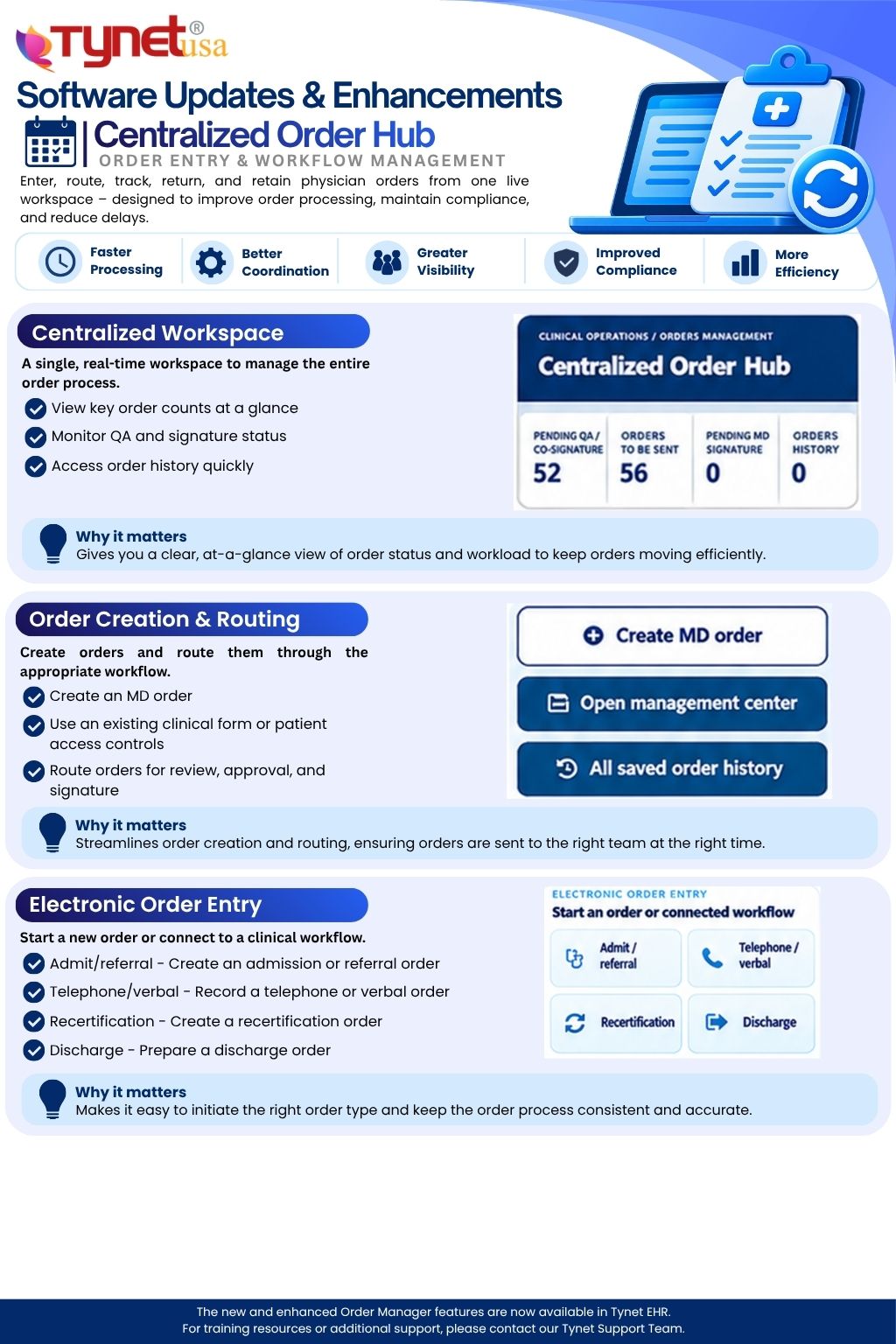
Centralized Order Hub
The Order Hub brings order entry, routing, follow-up, and history into one workspace. Teams can see counts and identify orders awaiting review or physician signature.
Key capabilities
- Create and route admission or referral, telephone or verbal, recertification, and discharge orders.
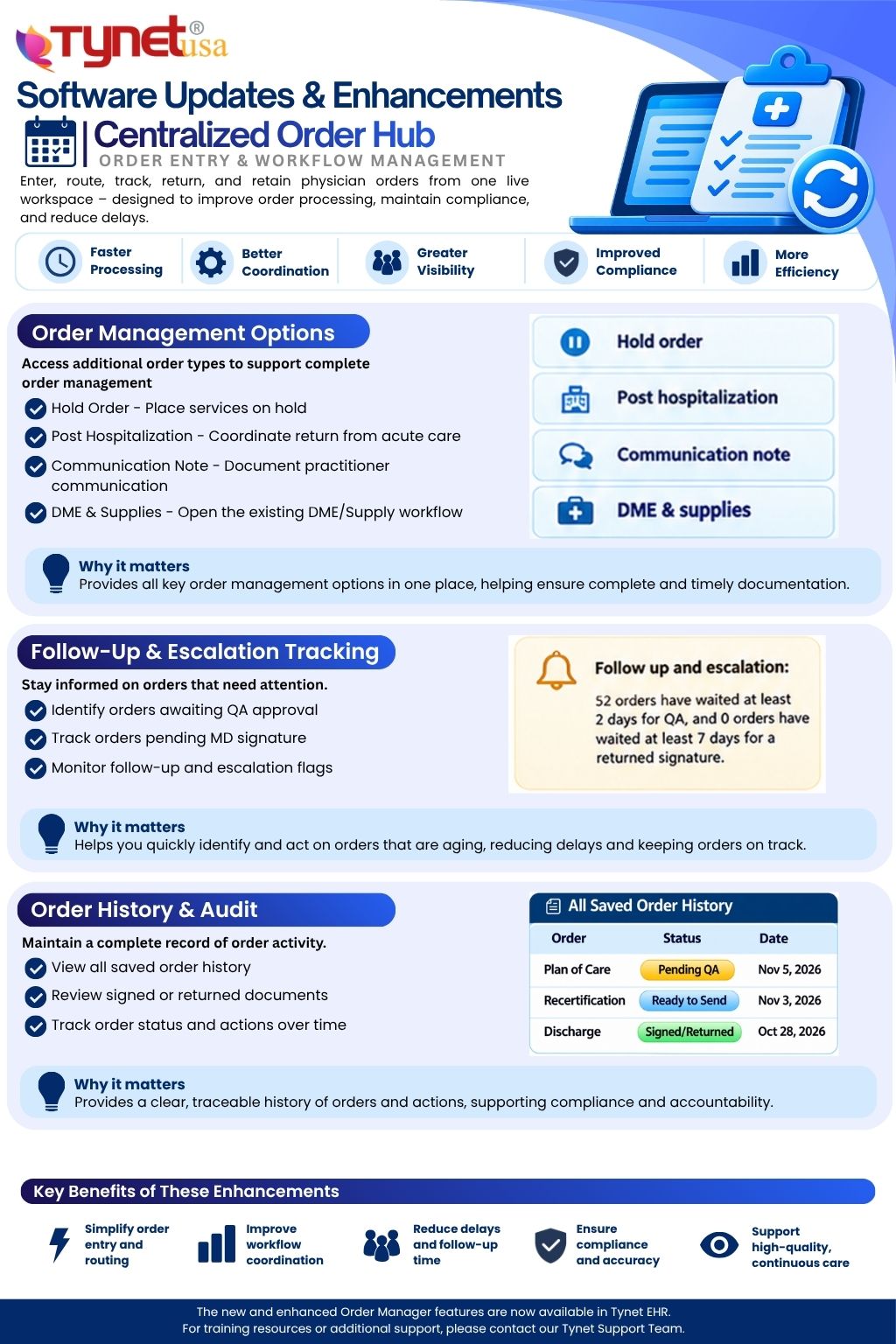
- Access workflows for hold orders, post-hospitalization coordination, communication notes, and equipment or supplies.
- Monitor follow-up and escalation flags, review returned or signed documents, and access saved order history.
Why it matters
A shared view of order status helps teams coordinate reviews, identify aging items, and maintain a traceable history of activity.
White paper images
Select an image to view it at full size.
Plan of Care Hub
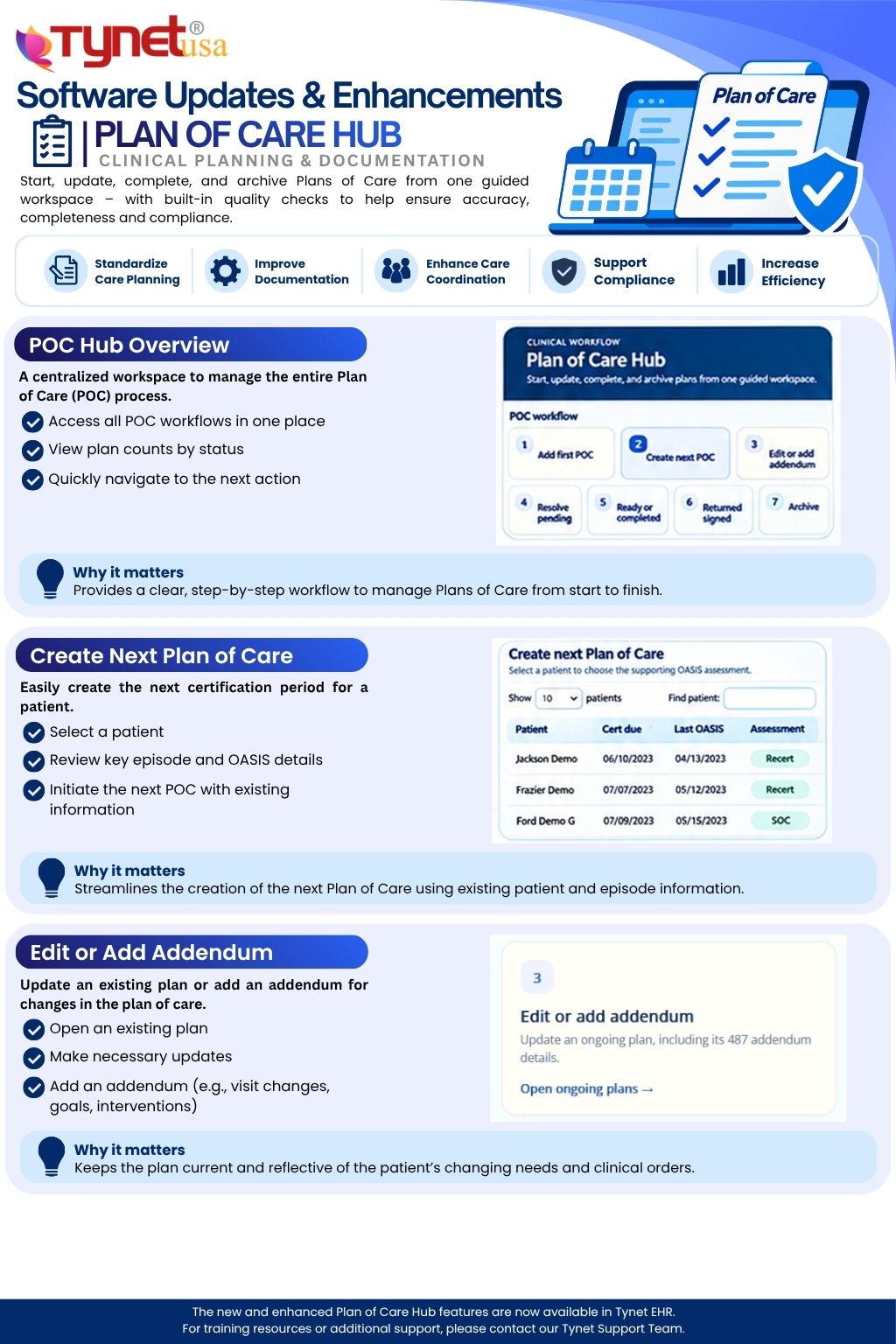
The Plan of Care Hub organizes the steps for starting, updating, reviewing, signing, and archiving plans in a guided workspace.
Key capabilities
- Create the next plan using patient, episode, and OASIS information, or update an existing plan and add an addendum.
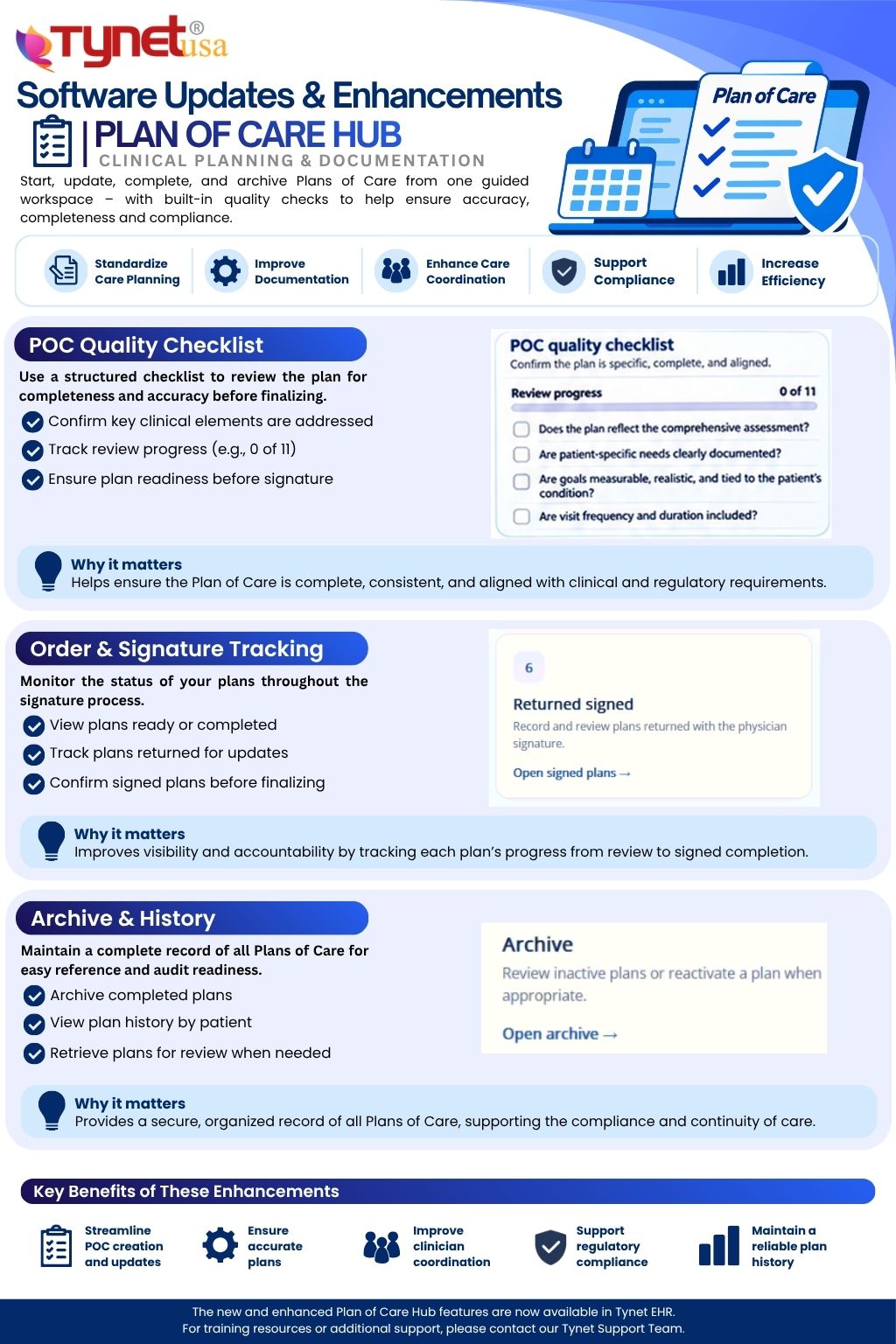
- Use a quality checklist to review clinical elements and track completion before signature.
- Follow plans through readiness and returned-signature stages, and review or retrieve archived plans.
Why it matters
Structured review and status tracking support more consistent documentation and clearer coordination as patient needs change.
White paper images
Select an image to view it at full size.
Quality Assurance
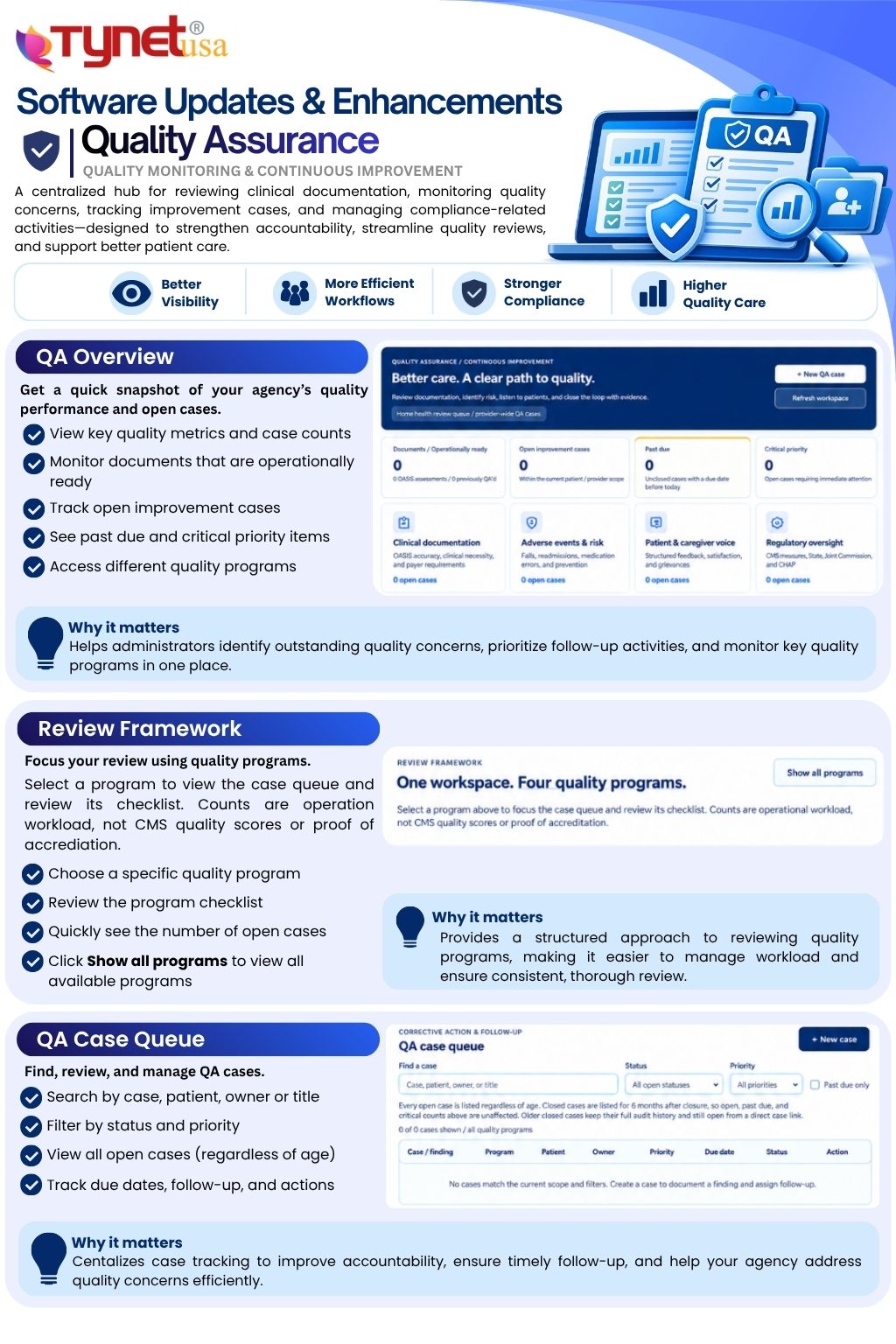
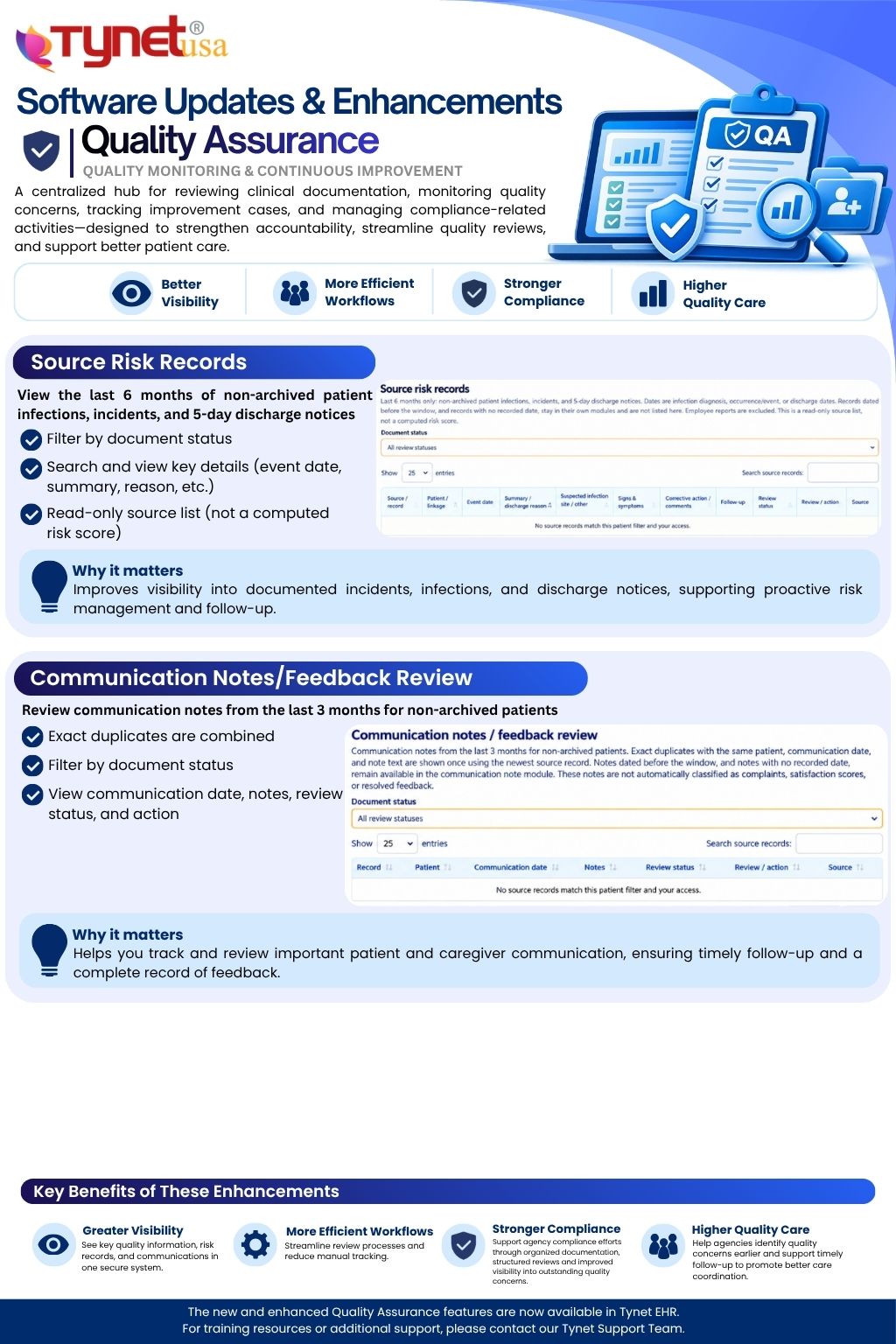
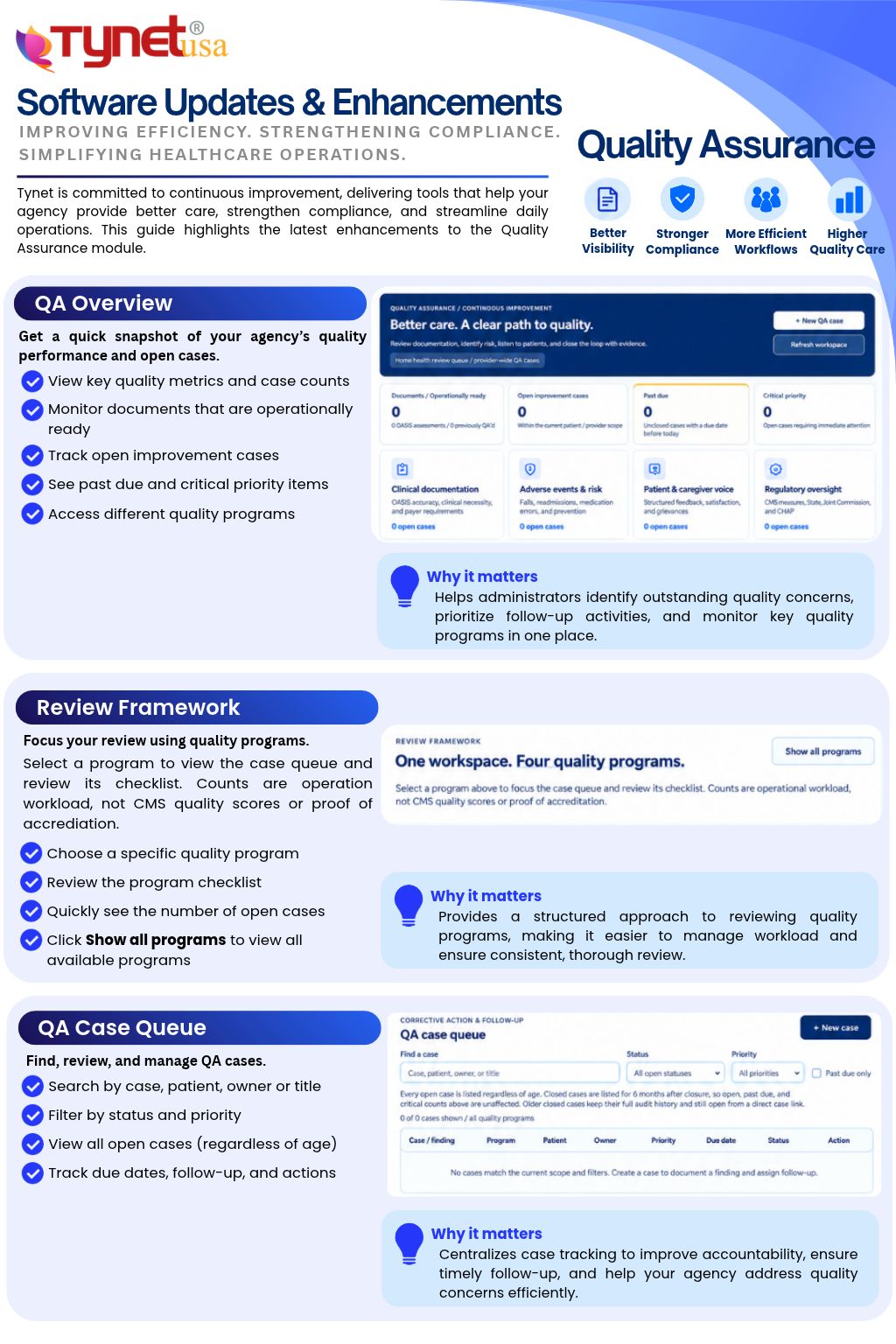
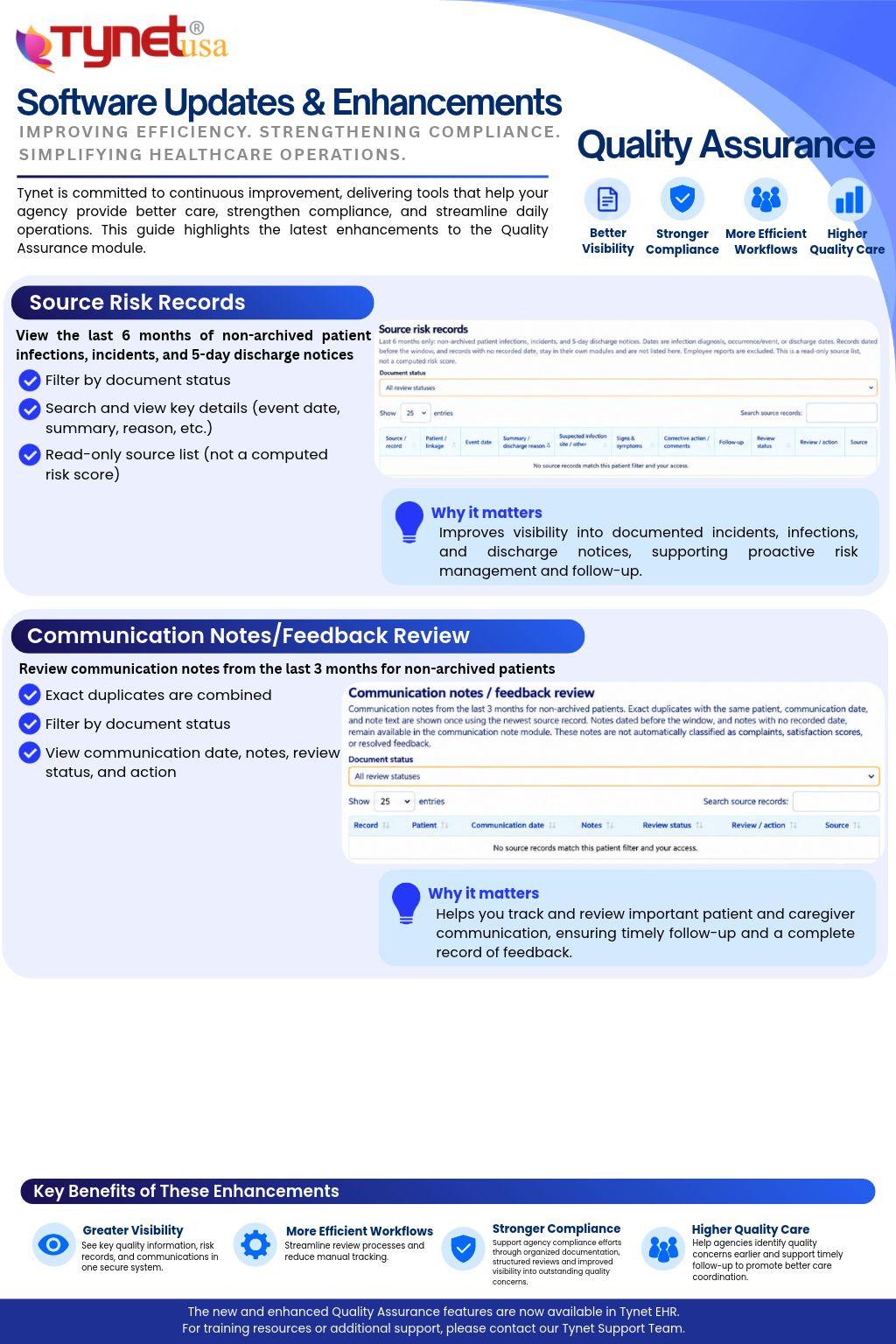
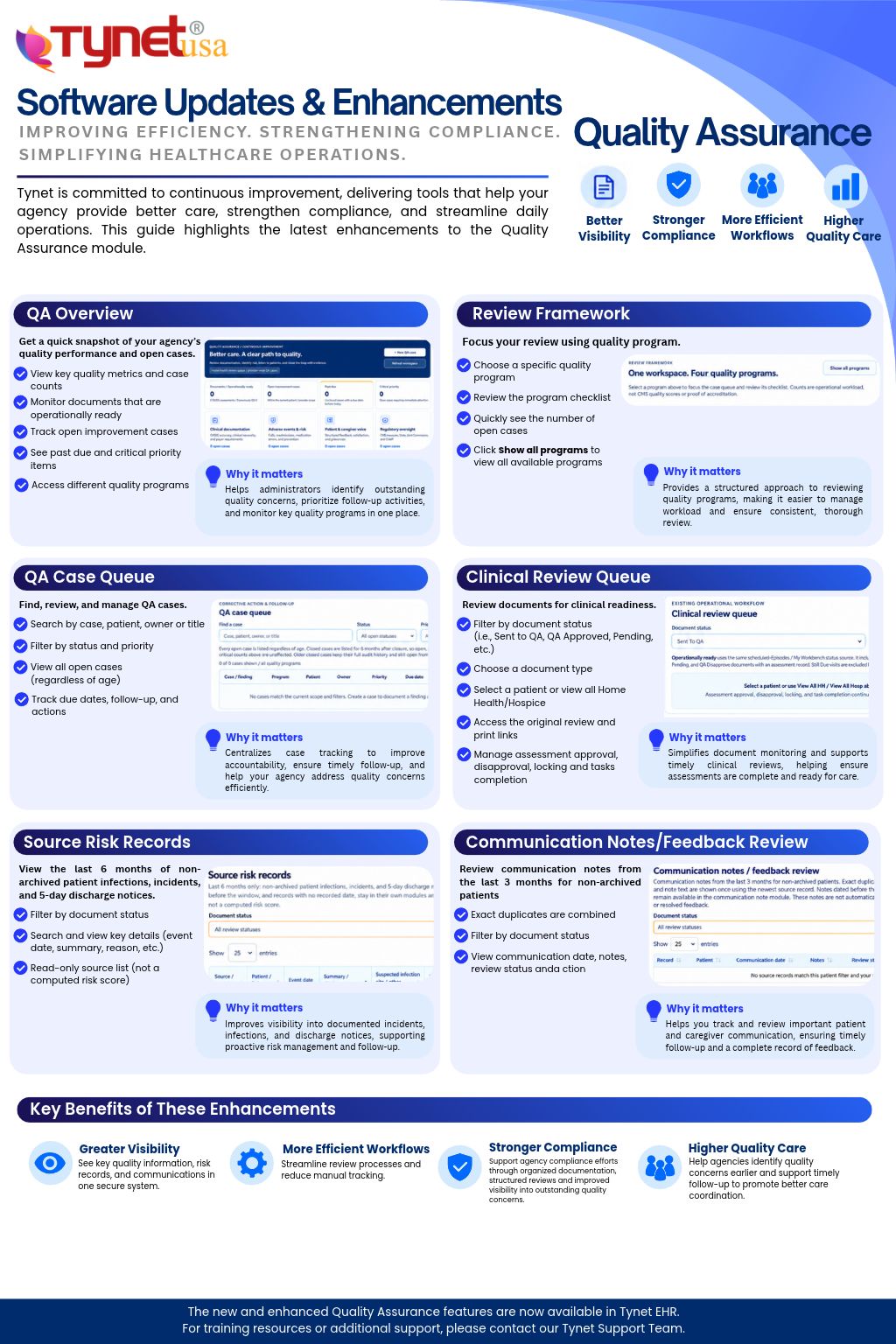
The quality assurance workspace helps agencies review documentation, track improvement cases, and focus attention on overdue or high-priority items.
Key capabilities
- Review quality programs and their checklists, and filter the case queue by status and priority.
- Track case ownership, due dates, follow-up, and actions alongside clinical document review workflows.
- Review source records for infections, incidents, and discharge notices, as well as recent communication notes.
Quality program counts represent operational workload; they are not CMS quality scores or proof of accreditation. Source risk records are a read-only list, not a computed risk score.
Why it matters
Centralizing review and follow-up helps teams organize quality concerns and maintain visibility into outstanding work.
White paper images
Select an image to view it at full size. Alternate layouts are included for reference.
Schedule Hub
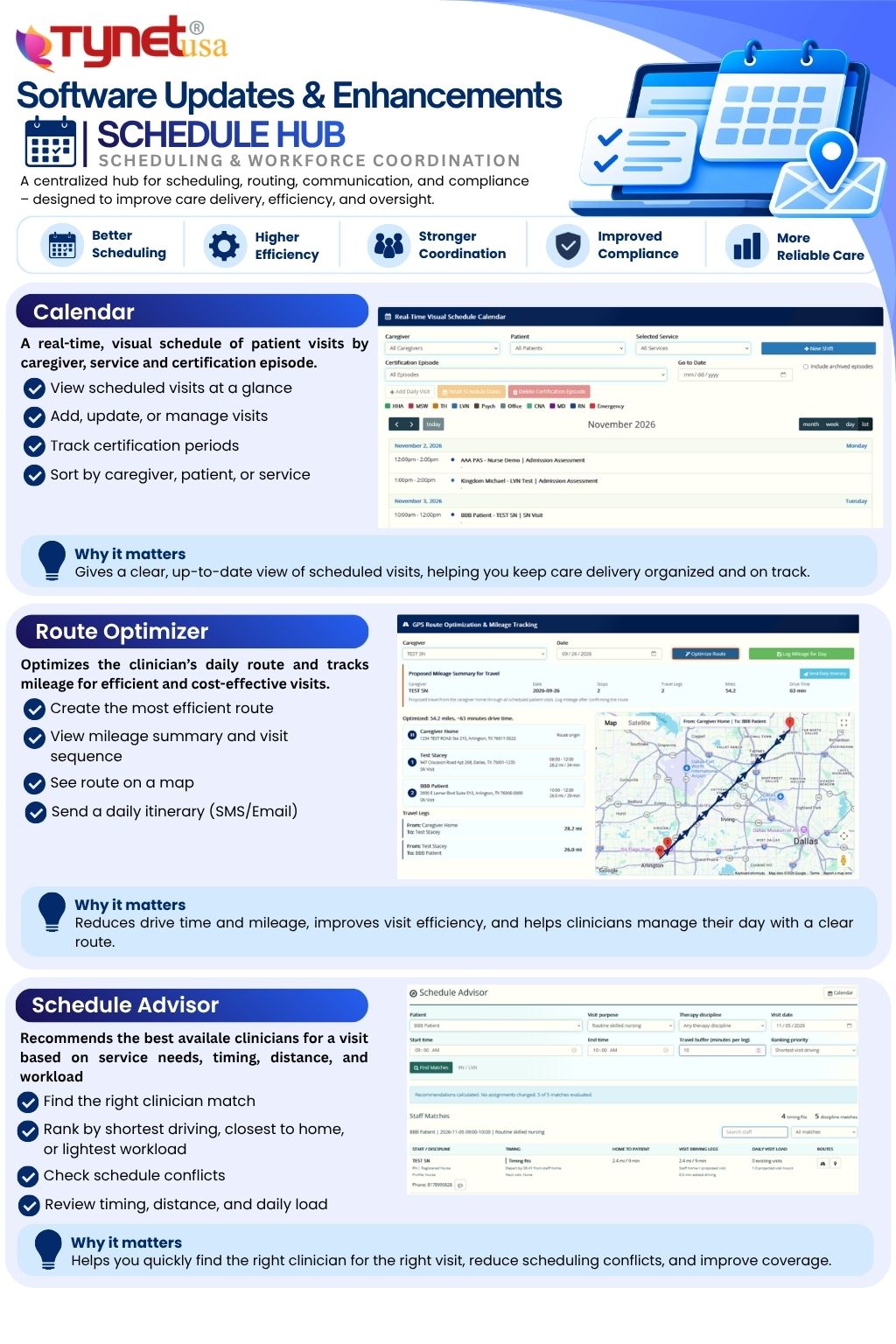
The Schedule Hub brings together visit planning, routing, communication, and operational oversight for field and office teams.
Key capabilities
- View and manage visits by caregiver, patient, service, and certification episode.
- Review route and mileage information, and use the Schedule Advisor to compare clinician matches by availability, timing, distance, and workload.
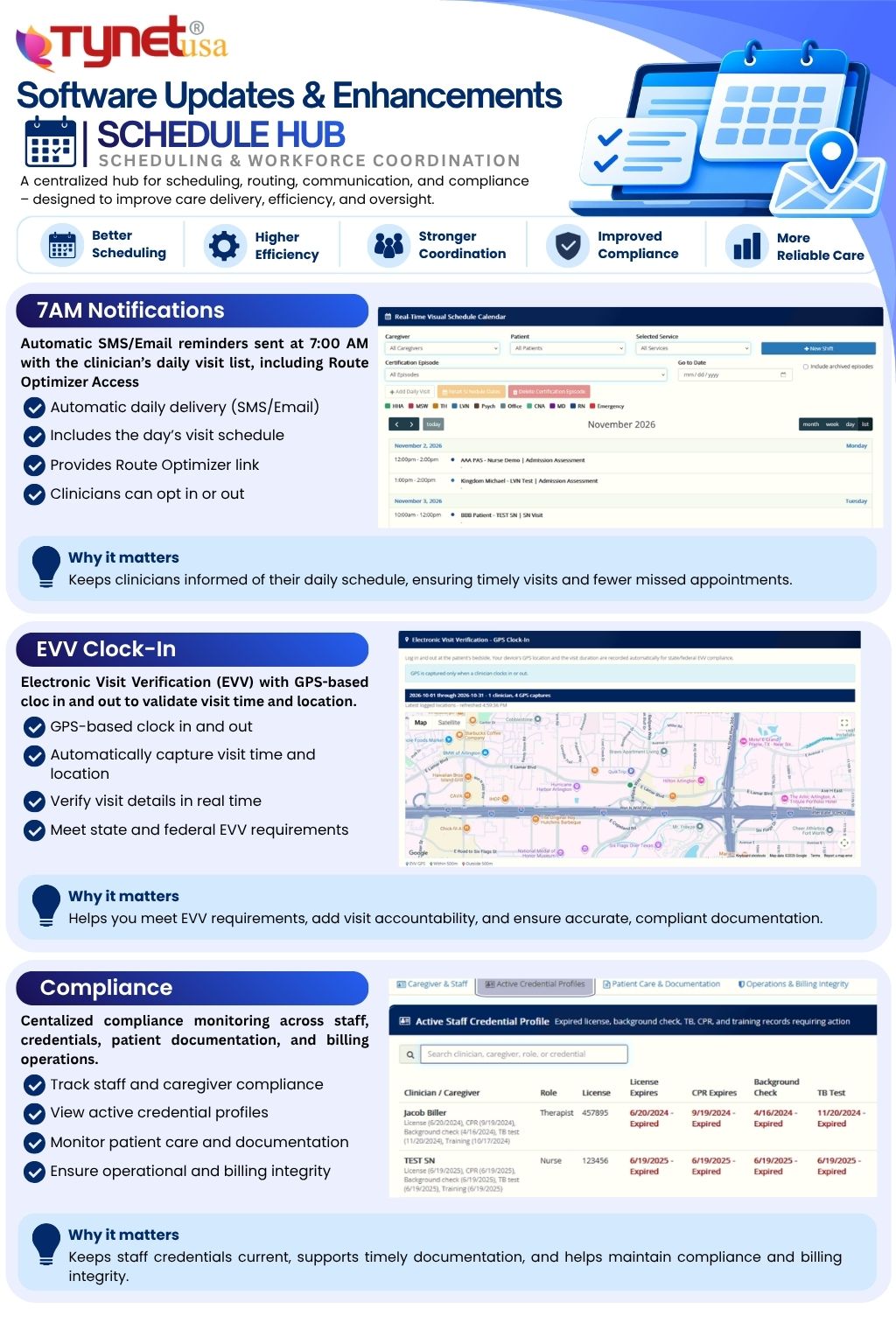
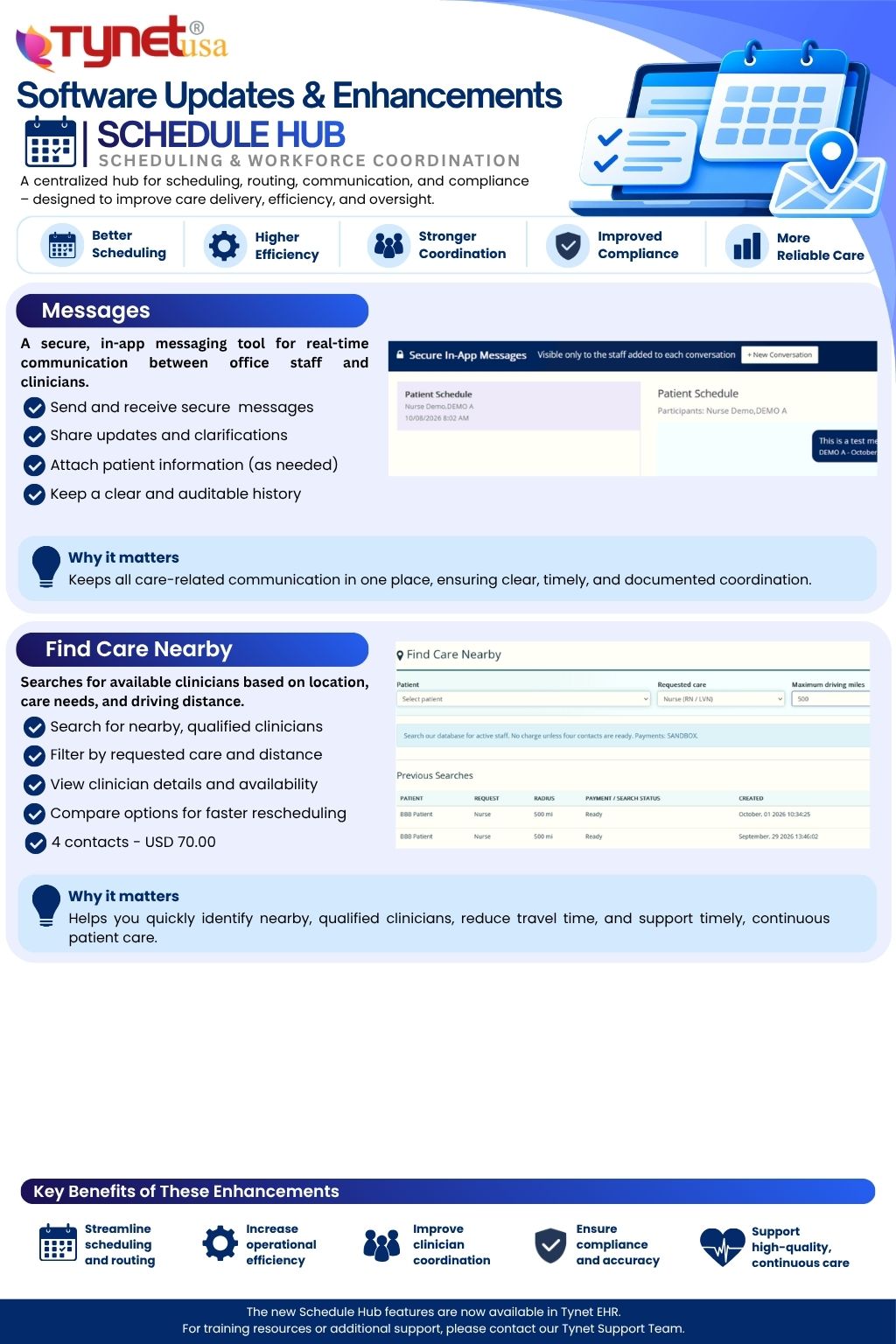
- Send daily schedule notifications and use in-app messages to coordinate care.
- Use electronic visit verification to capture time and location at clock-in and clock-out, and review staff and documentation compliance information.
Why it matters
Better visibility into visits and available staff supports coordinated scheduling and helps teams follow up on operational requirements.
White paper images
Select an image to view it at full size.
See the workflows in action
Learn how Tynet EHR can support your agency's clinical and operational workflows.
Request a Demo